
Check file hashes on your system
If you're not familiar with file hashes then don't beat yourself up too much about it because you probably won't ever need to think about them. However, if you are interested then basically they are check codes used to identify the validity of files. This is sometimes useful if you're transferring some data from one source to another and want to make sure it's the same packet.
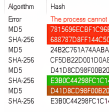
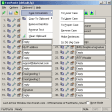
What HashTab does is to put a new tab in the Windows Explorer File Properties menu called 'File Hashes'. Selecting this tab will displaythe hashes used for that particular file, and allows you to quickly compare it to a second file on your system automatically, by clciking the 'Compare a File' button.
If you know what you're doing, then HashTab is very straightforward and serves its purpose well. There's no real help system in the program so if you don't really understand file hashes then don't bother using it.
10 supported hash algorithmsHash algorithms are configurable, only calculate the ones you care about.Easier to copy hash data out of HashTabEasier to compare hash textBetter status indicators when loading and hashing files for comparison
Changes
10 supported hash algorithmsHash algorithms are configurable, only calculate the ones you care about.Easier to copy hash data out of HashTabEasier to compare hash textBetter status indicators when loading and hashing files for comparison























User reviews about HashTab
by Stephen M. Pomeroy
Advertises 10 Hashes, displays 3 with no instruction on how to display more. Where's the other 7?